Microsoft Teams Update to Connect Non-Microsoft Users: How IT Teams Can Keep Collaboration Secure.

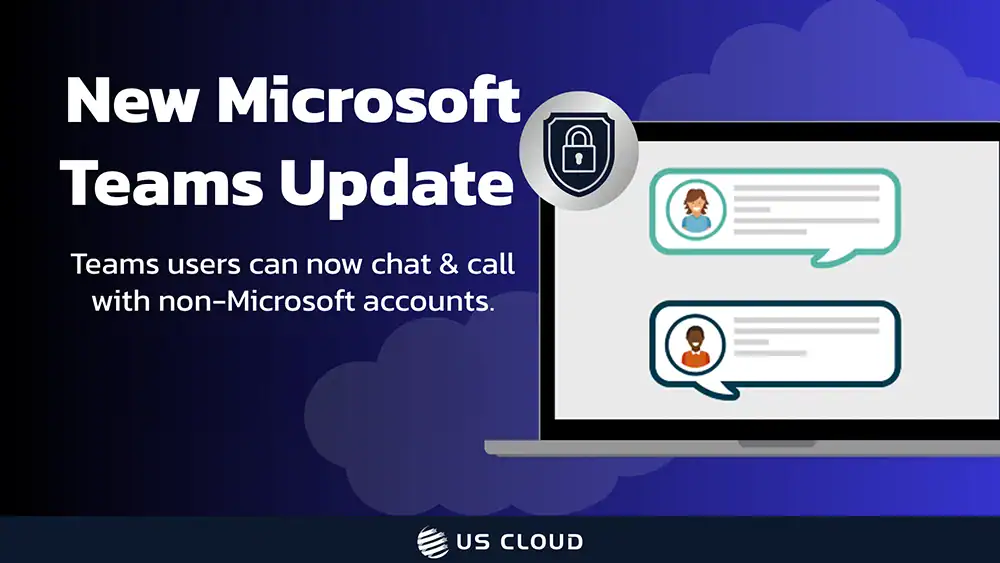
Microsoft Teams now lets your users start a chat (and escalate calls) with anyone who has an email address—even if they don’t use Teams or have a Microsoft account. This development is excellent for supplier coordination, client escalations, and project speed.
It does, however, expand your identity surface, compliance obligations, and phishing exposure. Below we’ll outline what changed, why enterprises should care, common use cases, concrete risks, and mitigation strategies you can implement today—plus where US Cloud can help.
Executive Summary
- New Teams capability: Users can type an external person’s email address to start a 1:1 or group chat. The external participant is guided to join the conversation without having to pre-create a Teams/Microsoft account. Admins can allow, limit, or disable this. Rolling out globally November 2025, with documentation updated November 13, 2025.
- How it’s implemented: Under the hood, initiating a chat creates a guest identity in your tenant (B2B). It’s an evolution of guest chat (not a totally new trust model), which means your existing controls still matter.
- Where to manage it: External chat/meetings and unmanaged (consumer) accounts are controlled in Teams admin settings; Microsoft details the options to enable/disable and scope access.
Bottom line: Now it’s easier to collaborate outside of the organization and keep professional communications all in one channel—but the governance burden shifts squarely to individual IT teams to keep the environment safe.
Why the Teams Chat Update Helps Everyone from IT to Procurement
Microsoft just removed one of the biggest collaboration blockers: your users can now start a Microsoft Teams chat with anyone using nothing more than an email address, even if that recipient has no Teams or Microsoft account.
That’s a win for speed and convenience across procurement, vendor management, and client delivery. It’s also a nudge for every enterprise to revisit identity lifecycle, DLP, and phishing defenses before this convenience becomes a liability.
Before we get to how to keep your teamwork secure, here are some reasons why you might appreciate having this feature enabled.
Faster Decisions with Vendors, Suppliers and Partners
Agencies and procurement teams juggle vendors who may not live in Microsoft 365. Teams’ “chat with anyone” eliminates account set-up friction, enabling a quick chat thread (and escalation to Microsoft Teams calls or video calling) right where your internal work already lives.
Less context-switching means quicker clarifications, pricing tweaks, lead-time updates, and incident triage.
Reduced “Shadow IT”
Without this feature, users often default to unmanaged channels (personal messaging apps) to reach external parties. Keeping Microsoft Teams chat as the primary lane consolidates communications into a governed platform with retention and eDiscovery options IT teams can control.
Cleaner Audit Trail for Negotiations
Moving supplier back-and-forth into Teams strengthens discoverability of how decisions were made—useful for regulated industries and annual vendor reviews. Admin guidance confirms the feature sits within the admin-controllable collaboration framework.
Better User Experience for Executives and Field Leaders
Leaders can join Microsoft Teams meetings or spin up a Microsoft Teams video call directly from an external chat thread—no extra onboarding. When minutes matter (e.g., logistics delays, customer escalations), that supports productivity for everyone.
Real-World Teams Chat Scenarios
If you haven’t yet navigated the fiasco of keeping up a chat with important personnel outside of your organization, consider yourself lucky. Yes, of course email works across email accounts, but some teams are more chat-friendly than others and you’ll do what you need to do to keep up your productivity—even if that means throwing something in a chat to get the answers you need.
For an idea about what that looks like in real life, read below for some general scenarios that are made simpler by the new Teams update to chat or call to external recipients without Microsoft accounts.
Procurement Use Case: Supplier Delay, Urgent Workaround
A procurement manager needs an alternate ship date by EOD. They paste the supplier rep’s email into Teams, start a Microsoft Teams chat, and escalate to a video call to review inventory screenshots in five minutes—no new account required.
IT Use Case: Security Incident Cross-Vendor Coordination
During a third-party outage affecting your apps, the vendor’s engineer is pulled in via email, which immediately kicks off a Microsoft Teams calling bridge from the chat. Faster MTTR, tidy transcript, and central timeline.
Legal Use Case: Contract Redlines & Legal Questions
Your legal team invites the outside counsel’s paralegal to a chat thread to confirm clause language, keeping the correspondence under retention. If needed, they jump to a Teams video call for a final “go/no-go.”
Microsoft Teams Update Risks to Plan For + How to Mitigate Them
As much as this Teams update supports productivity and connectivity with external (but no less integral) message recipients, it also presents a few challenges that should be addressed to ensure that your team can roll out this feature confidently and safely. Here are some considerations, tips, and strategies for keeping your team’s communication open and still secure.
Identity Sprawl and Guest Lifecycle
Initiating chats with email addresses auto-creates guest identities. Without lifecycle hygiene, those guests linger, increasing attack surface and creating confusion about who can still see what.
How to Mitigate: Treat it like any B2B guest flow—automate guest expiration, owner reviews, and deprovisioning; restrict who can invite; consider domain allow-lists for sensitive groups.
Data Leakage and Compliance
External chats can carry contract terms, pricing, or customer PII. If your DLP, retention, or eDiscovery settings don’t cover guest interactions, you risk gaps in records and inadvertent disclosure.
How to Mitigate: Confirm that your Microsoft Teams retention labels and eDiscovery scopes include external chats; test DLP policies against file sharing and copy/paste behaviors in those threads; ensure alignment with procurement’s record-keeping requirements.
Phishing and Social Engineering
Opening the door to “chat with anyone” invites more attempts to socially engineer users with malicious links. Microsoft has been enhancing malicious URL protection in Teams, but controls and user awareness still matter.
How to Mitigate: Turn on available link protection and collaboration security in Defender for Office 365; push just-in-time banners and policy tips; run periodic phishing simulations focused on external chat vectors; review data safety practices with your team.
Eliminate Policy Ambiguity
If those who wrote your IT policies never contemplated staff members using company channels to chat with people who don’t have accounts, you’ll get gray areas fast: who can reach out, what content is appropriate, when to off-board, etc.
How to Mitigate: Update your Acceptable Use, third-party risk, and Microsoft Teams governance documentation; publish a simple “When to invite external parties” decision tree for business users.
Collaborate Externally & Securely with Support from US Cloud
“Chat with anyone” is the kind of convenience business users love and security teams fear—unless it’s rolled out with the right controls. If you pilot it with guardrails, you’ll gain cycle-time wins without opening the floodgates.
Need a second set of eyes? Schedule a call with US Cloud. We help enterprises harden Microsoft Teams and the broader Microsoft 365 estate—often at 30–50% lower cost than Microsoft Unified Support.
Our engineers can keep your collaboration fast and compliant. With dedicated support from US Cloud, we can review your current Teams external-chat posture, tune your policies, and stand up a safe pilot that proves value and governance. We can also prepare procurement-friendly SOPs and quick-hit user training so policy adoption sticks.
Whatever your team needs to keep your call and chat environment safe, US Cloud has you covered.
FAQ: Microsoft Teams Chat to External Accounts
What is “Microsoft Teams chat with anyone”?
Microsoft Teams’ “chat with anyone” feature is a capability letting users start a chat by entering an external contact’s email address, even if that person doesn’t use Teams. Admins can control/disable it.
Is this Microsoft Teams update the same as guest access?
Functionally, it creates a guest under your tenant when you initiate the chat; therefore, your B2B guest controls/lifecycles still apply.
Can I join Microsoft Teams meetings from these chats?
Yes. External chat threads can escalate to Microsoft Teams calls/video calling—the core experience stays in Teams.
How do I manage risk on our organization’s Microsoft Teams setup?
Use admin controls for external access, enforce DLP/retention/eDiscovery over chats with guests, enable link protection, and automate guest off-boarding.