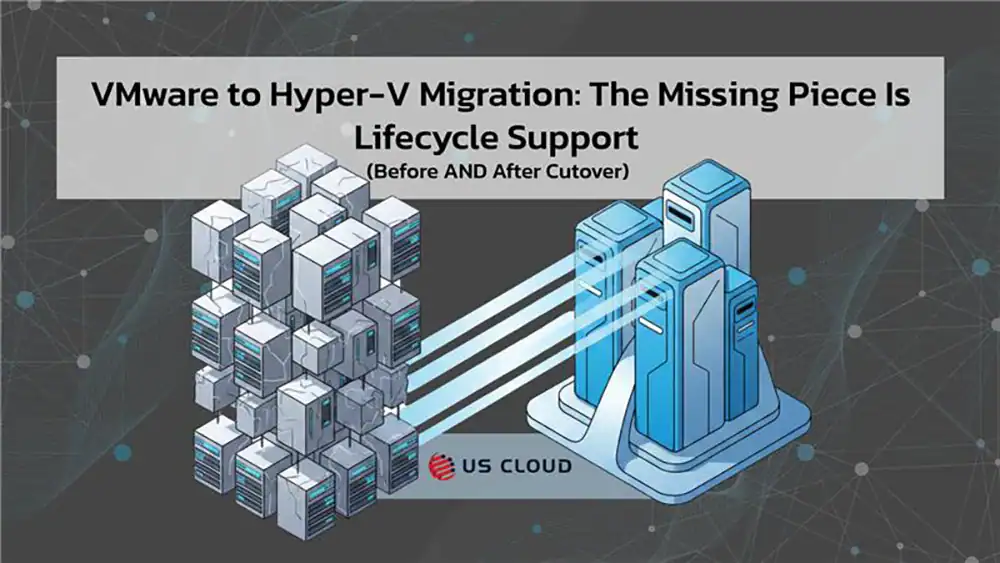
VMware to Hyper-V Migration Missing Piece: Lifecycle Support.

If you’re planning a VMware to Hyper-V migration, you’re not alone—and you’re probably not doing it just because you “feel like changing hypervisors.” For many medium-and-larger enterprises, the math and the uncertainty around virtualization licensing have forced a hard look at long-term cost control. VMware’s move away from perpetual licensing toward subscriptions has been a major catalyst.
But here’s the part teams underestimate: migrating from VMware to Hyper-V isn’t only a technical conversion project. It’s a support model decision.
Once you standardize Hyper-V in your environment, you’re deepening your reliance on the Microsoft stack (Windows Server, identity, networking, management, backup integrations, and more). If you don’t align lifecycle support to that reality, you risk paying the Microsoft Monopoly Tax twice: once in licensing and again in slow, fragmented support.
This post breaks down what a sound plan looks like, what can go wrong, and how to ensure you have an expert on your side—before, during, and long after cutover.
Executive Summary
- VMware’s licensing model shift is forcing earlier-than-planned modernization
- VMware announced the end of availability of perpetual licensing and a transition to subscription-only offerings (e.g., vSphere Foundation / VMware Cloud Foundation), which has materially changed renewal math for many environments.
- In parallel, the broader ecosystem has been adjusting to Broadcom-era program and packaging changes (partner/VCSP reductions, program consolidation, etc.), adding uncertainty to long-term cost predictability for some organizations.
- The practical outcome: more IT and procurement leaders are evaluating virtualization alternatives as part of a larger “cost + control” strategy, often pairing Hyper-V with Windows Server standardization, Microsoft management tooling, and clearer support motions.
The “Microsoft Monopoly Tax” Is Now a Board-Level Conversation
Virtualization migrations don’t happen in a vacuum. They sit inside a bigger commercial reality:
- Microsoft has continued efforts to standardize and adjust pricing models across channels (which can change planning assumptions for medium-and-larger enterprises).
- And Microsoft’s own Unified positioning emphasizes cost categories beyond fees—like internal management overhead—reinforcing that support models carry both direct and indirect costs.
Translation for leaders: If you’re already making a major platform move (VMware to Hyper-V), it’s the right moment to revisit how you buy and run Microsoft support, too—because the wrong model becomes a compounding operational liability.
What “VMware Migration to Hyper-V” Really Entails (in Plain English)
Making the switch from VMware to Hyper-V is, of course, no small feat. The transition typically requires you to:
- Convert VM disks and configurations (VMDK to VHD/VHDX and compatible virtual hardware)
- Rebuild or translate networking constructs (port groups to vSwitches, VLAN mapping, NIC teaming)
- Validate storage performance and resilience (CSV design, iSCSI/FC/SMB, snapshots/checkpoints governance)
- Confirm guest readiness (drivers, integration services, boot settings, firmware/UEFI compatibility)
- Re-establish backup/DR with tested restore points in the new platform
- Execute cutover with prechecks, delta sync, final sync, and import workflows
Microsoft documents an approach using Windows Admin Center’s VM Conversion extension, including migration prechecks, replication, final delta sync, and import into Hyper-V.
Key takeaway: You’re not just “moving VMs.” You’re transferring operational responsibility and revalidating the foundation your workloads run on.
The Migration Plan You Should Have (Before Touching Production)
A migration of this size isn’t a task you just “flip on” when it’s time to start moving the system over. Pre-production is the best time to begin mapping your steps toward a successful migration. Below is a general outline you can follow.
Stage 1: Discovery
At this stage, you should be conducting dependency mapping to prevent surprise outages. What to capture:
- Workload tiers (mission-critical vs. tolerant)
- East-west traffic and service dependencies
- AD/DNS/cert dependencies (often the silent failure points)
- Backup/restore constraints (RPO/RTO by app)
- Licensing and OS versions tied to hardware or cluster constructs
Why it matters: Most “migration emergencies” come from missed dependencies, not the conversion tool.
Stage 2: Architecture
Here, you’ll define the target Hyper-V operating model. Decisions to make early:
- Standalone vs. Failover Cluster
- Storage approach (SAN / Storage Spaces Direct / SMB3)
- Network segmentation model and security boundaries
- Management: Windows Admin Center, monitoring, patch cadence, baseline hardening
Why it matters: Hyper-V is solid—but your design determines stability and performance.
Stage 3: Cutover Sequencing
Don’t migrate every single the same way. Instead, use a phased approach:
- Wave 1: low-risk services to validate platform assumptions
- Wave 2: shared services (careful—these can have hidden blast radius)
- Wave 3: mission-critical apps with rollback plans and executive comms ready
Stage 4: Validation and Rollback
Treat the migration like a release, not a one-time move. Establish the following to start off on the right foot after migrating to Hyper-V:
- App-level validation scripts (not just “VM is running”)
- Performance baselines (CPU ready equivalents, storage latency, network throughput)
- Rollback criteria defined in advance (time-based and impact-based)
Where VMware to Hyper-V Projects Get Expensive Fast
There’s a way that your VMware to Hyper-V migration could get even more expensive very quickly. Avoid the following pitfalls to keep your costs low and your systems running properly.
Pitfall A: Treating “Day 2 Support” as an Afterthought
After cutover, teams commonly hit:
- intermittent authentication issues
- patching conflicts
- backup chain failures
- clustering quirks and storage latency surprises
- performance regressions that only appear under real load
If the only support safety net is a slow escalation path, those issues turn into a business outage—or even a costly war room.
Pitfall B: Paying More for Slower, Fragmented Support
Many enterprises experience Microsoft Unified Support as:
- multiple handoffs
- long triage loops
- unclear ownership between product groups
Unified Support costs continually rise, fueled by your Microsoft product spend. As you rely more heavily on Hyper-V, you’ll end up going through a “true-up” when your Microsoft contract renews. You’ll start paying even more for the same level of Unified Support even if you never end up needing more hours.
Pitfall C: The Opportunity Cost of Staying Locked In
Every week your team spends navigating support friction is a week not spent on:
- security modernization
- automation
- resilience improvements
- cost optimization
That’s the real Monopoly Tax: not just higher invoices—slower progress. Choose a Microsoft support partner that eliminates the slow response and resolution times.
The Smarter Approach: Pair Migration Execution with Lifecycle Support
A strong VMware to Hyper-V migration strategy for medium-and-larger enterprises includes two parallel workstreams:
Workstream 1: Migration Execution (Project Success)
- discovery + architecture + conversion + cutover + validation
Workstream 2: Lifecycle Support (Operational Success)
- incident response and escalation readiness
- patching/upgrade guidance aligned to your stack
- root-cause analysis that reduces repeat incidents
- knowledge continuity (fewer “start over” escalations)
This is where many organizations realize they don’t just need tools—they need an expert backstop.
Where US Cloud Fits: Reduce Risk, Reduce the Microsoft Monopoly Tax
US Cloud exists for one core reason: to help medium-and-larger enterprises keep Microsoft environments running with better support economics—especially when Microsoft Unified becomes a financial and operational liability.
What That Means for a VMware Migration to Hyper-V
When you migrate to Hyper-V, you’re increasing the importance of fast, competent support across Microsoft technologies tied to virtualization operations, including:
- Windows Server and core services that underpin Hyper-V hosts and clusters
- Identity dependencies (AD, DNS, certificates) that cause “platform” issues to look like “app” issues
- Post-migration stabilization where fast escalation prevents small issues from becoming outages
Why Great Support Matters Right Now
VMware’s shift toward subscription-only offerings has changed the renewal conversation for many teams.
At the same time, enterprises are reevaluating the total cost of Microsoft dependency—especially support models—because pricing and channel dynamics continue to evolve.
So if you’re already making one major platform decision, it’s the right time to fix the second one: support. Schedule a call with our team to reign in your Microsoft costs while you transition from VMware to Hyper-V.

The Microsoft Support Industrial Complex: How Unified Support Became a $10B Tax on Enterprise Innovation
US Cloud vs. SHI: Choosing the Right Provider for Enterprise Microsoft Services