Microsoft Copilot ROI: Why Usage — Not Licensing — Drives Your Return.

Key Takeaways
- Copilot ROI measures actual usage rather than seat licensing — Microsoft’s internal AI Adoption Score sets about three days of weekly engagement as the benchmark for building a lasting Copilot habit.
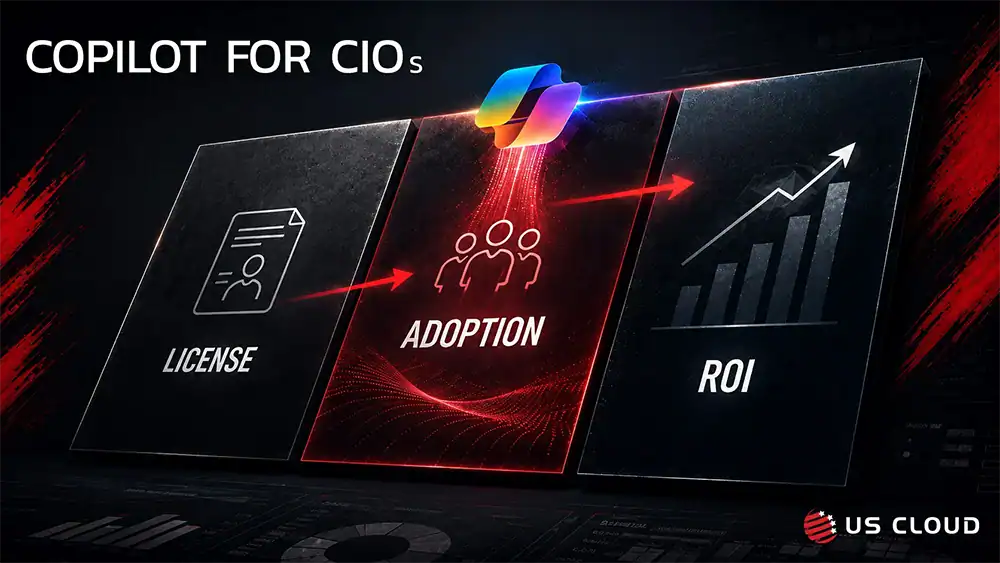
- License deployment and Copilot adoption are two different projects. Deployment is a technical milestone; adoption is a behavior-change discipline that requires role-based training and reinforcement.
- Each Copilot deployment consistently creates four clear user segments — non-adopters, occasional users, steady users, and power users — each carrying a unique ROI risk and needing a different intervention.
- End-user support is an adoption lever, not just a help desk function. Lingering friction at the point of use is among the most frequent reasons employees drop Copilot and return to their previous workflows.
- CIOs should monitor actual usage and engagement metrics — cadence, feature intensity, team-by-team uptake — instead of license totals, to gauge true Copilot ROI.
The Copilot ROI Problem Is Becoming an Adoption Problem
Enterprise AI has moved quickly from experimentation to a board-level operating priority. Microsoft 365 Copilot is being more deeply integrated into the tools employees rely on daily—Teams, Outlook, Word, Excel, PowerPoint—and the wider Microsoft 365 ecosystem. That makes the Copilot ROI opportunity enormous. It also creates a deceptively simple assumption: buy the licenses, enable the technology and productivity gains will follow.
For many enterprises, that is where the economics begin to break down.
The value of Copilot depends on utilization. A licensed team member who only dips into Copilot now and then to recap an email isn’t delivering the same ROI as someone who’s learned to apply AI across repeatable workflows: getting ready for meetings, reviewing and analyzing documents, synthesizing insights, drafting messages, building presentations, uncovering institutional knowledge, and speeding up decisions.
Microsoft itself is increasingly treating Copilot adoption as a measurable operating discipline. Its current AI Adoption Score is built around the idea of creating a recurring Copilot habit, with a target equivalent to licensed users engaging with Copilot roughly three days per week. Microsoft says users who reach that threshold are highly likely to become long-term engaged users.
That is an important signal for CIOs. The question is no longer simply, “Did we deploy Copilot?” The more useful question is, “How many licensed employees are using Copilot frequently enough, and deeply enough, to change the economics of work?”
License Deployment Is Not Copilot Adoption
Traditional software deployments conditioned IT organizations to think in terms of technical readiness: configure the environment, assign licenses, secure the platform, communicate the launch and support the application.
Generative AI is different because the user is part of the implementation.
Copilot requires employees to learn a new way to interact with software. They must understand what to ask, how much context to provide, how to evaluate an answer, when to iterate, when to verify, and how to incorporate AI into an existing business process. A user can technically have perfect access to Copilot and still have almost no idea how to extract meaningful value from it.
Microsoft’s own rollout guidance recommends a phased deployment, tailored training, champions, feedback, usage analytics and ongoing adoption activities. Its adoption framework explicitly spans planning, implementation, adoption, management and continuous improvement.
That means the “last mile” of Copilot is not a minor change-management task. It is a core component of implementation.
This is why US Cloud’s Copilot implementation and end-user support model is increasingly relevant. Enterprises need a partner that can help connect technical deployment to the behavior of thousands of actual users. The objective is not simply to make Copilot available. It is to make Copilot useful, repeatable and increasingly embedded in how work gets done.
The Copilot Adoption Curve Has Four Very Different User Types
One reason enterprise Copilot adoption stalls is that employees are often treated as a single population. In practice, a Copilot rollout quickly produces distinct user groups that need different interventions.
| User group | Typical behavior | ROI risk | What they need |
|---|---|---|---|
| Non-users | Licensed but rarely or never engage | Highest | Awareness, relevance, onboarding |
| Light users | Summaries and occasional prompts | High | Role-based use cases and coaching |
| Regular users | Use Copilot across several apps | Moderate | Workflow training and advanced patterns |
| Power users | AI is embedded in daily work | Low | Advanced enablement; champion roles |
The Fastest Path to Copilot ROI Is Role-Based, Workflow-Based Training
Generic “how to use Copilot” training is useful at launch, but it is rarely sufficient to create sustained enterprise adoption. Employees do not wake up wanting to become better Copilot users. They want to finish their work faster, reduce administrative effort, make better decisions and produce higher-quality outputs.
Training therefore needs to move from features to outcomes.
A finance leader should learn how Copilot can help synthesize performance information, prepare management narratives and accelerate analysis. A salesperson should see how it can prepare account research, summarize meetings and improve follow-up. HR should understand policy synthesis, communications and employee-service scenarios. Executives need meeting preparation, document analysis and decision-support workflows. IT teams need their own operational use cases.
This is where Copilot implementation and training become inseparable. The enterprise must identify high-frequency, high-friction workflows where Copilot can create visible value, then teach employees how to use it in those specific moments.
The best adoption programs create a ladder: start with easy wins that build confidence, move users into role-specific scenarios, and then teach them to redesign workflows around AI. That progression matters because Copilot’s long-term value is not simply saving a few minutes on individual tasks. It is changing the throughput of knowledge work.
End-User Support Is the Missing Layer in Many Copilot Adoption Programs
Training gets employees started. Support keeps them moving.
With traditional applications, support is often reactive: something breaks, a ticket is opened, IT fixes it. Copilot creates a different class of support request. Users may ask why a prompt produced an unexpected result, how to find the right information, which Copilot experience to use, whether a particular workflow is appropriate, how to improve an output, or how to accomplish a business task they have never attempted with AI before.
These are not always infrastructure incidents. They are adoption moments.
If the user cannot get help at the moment of friction, the easiest response is to stop using Copilot and return to the old process. Multiply that behavior across thousands of employees and a seemingly small end-user support gap becomes a material Copilot ROI problem.
US Cloud’s opportunity is to extend Microsoft expertise beyond platform support into the employee experience: helping organizations resolve technical issues while also supporting users as they build practical Copilot capability. This is particularly valuable during the months after launch, when curiosity is high but habits are still fragile.
For CIOs, the distinction matters. Copilot support should not be measured only by tickets closed. It should also contribute to users activated, recurring usage, adoption intensity, successful workflows and reduced friction.
Why Demand for Copilot Implementation and Adoption Services Is Growing
The need is growing because Copilot itself is expanding. Microsoft’s 2026 Work Trend Index describes a workplace where AI increasingly supports analysis, problem-solving, collaboration, information discovery and content creation. Microsoft’s analysis of Copilot interactions found that a large share of usage supports cognitive work such as analyzing information, evaluating options and solving problems.
At the same time, the Microsoft AI environment is becoming broader: Copilot, agents and increasingly agentic workflows are moving into the enterprise operating model. Each new capability increases the gap between merely licensing AI and operationalizing it.
The more powerful Copilot becomes, the less plausible a one-time training event becomes.
Organizations need a Copilot adoption capability that can evolve with the product. New features need to be translated into business use cases. New user populations need onboarding. Power users need advanced training. Usage data needs to be reviewed. Underutilized licenses need intervention. Champions need content. Support teams need escalation paths. Leadership needs evidence that the investment is producing value.
In other words, Copilot is becoming a managed adoption lifecycle rather than a software rollout.
A Better CIO Scorecard: Measure Copilot Usage Behavior Before Declaring Victory
CIOs should resist measuring Copilot ROI primarily by licenses purchased or licenses assigned. Those metrics measure distribution, not transformation.
A stronger Copilot scorecard starts with active usage and then becomes progressively more business-oriented. Track the percentage of licensed users who are active, frequency of use, adoption by application, adoption by department, movement from basic to advanced scenarios, repeat usage of priority workflows, support demand, training participation and employee-reported value.
Microsoft now provides adoption reporting that can help organizations identify where Copilot usage is concentrated, which applications and features are being used, where power users exist and where change-management efforts should be focused. That data should become an operating input rather than a quarterly curiosity.
The key is to create a closed loop: measure behavior, identify friction, intervene with targeted training or support, measure again and scale what works.
For a CIO, this converts Copilot adoption from an amorphous cultural initiative into a manageable performance system.
What an Enterprise Copilot Adoption Program Should Include
A practical program should connect implementation, enablement and ongoing support rather than treating them as separate projects. A strong operating model typically includes:
- Readiness and implementation: Technical readiness, licensing, security and compliance considerations, deployment sequencing, pilot groups and launch planning.
- Use-case prioritization: Identification of high-value workflows by role, function and business outcome.
- Role-based training: Practical education built around the work employees actually perform, not just product features.
- Prompt and workflow coaching: Hands-on guidance that helps users move from basic prompts to repeatable AI-assisted processes.
- Champion enablement: A network of internal advocates who can model behaviors, share wins and create peer-to-peer momentum.
- End-user support: Accessible help when employees encounter technical, functional or workflow friction.
- Adoption analytics: Measurement of active use, frequency, feature depth, departmental patterns and power-user behavior.
- Continuous optimization: Regular reviews that turn usage data and user feedback into new training, support and expansion priorities.
The US Cloud Value Proposition: Make the Copilot Investment Perform
For enterprise IT leaders, Copilot creates a familiar strategic challenge in an unfamiliar form. The technology can be provisioned centrally, but value is created at the edge of the organization, one employee and one workflow at a time.
US Cloud’s Copilot implementation, training and end-user support services are designed around that reality. The goal is to help enterprises move beyond license activation toward sustained Copilot adoption: getting more employees using Copilot, using it more frequently, and applying it to higher-value work.
That requires Microsoft platform expertise, but it also requires a relentless focus on the user experience. Technical readiness without user readiness produces shelfware. Training without ongoing reinforcement produces short-lived enthusiasm. Support without adoption insight fixes incidents but misses the larger business objective.
Bringing those capabilities together gives CIOs a more direct path to the outcome that matters: measurable return on the organization’s AI investment.
From Copilot Licenses to Copilot Habits
The enterprise AI race will not be won by the company with the most licenses. It will be won by the company that most effectively changes how its people work.
For CIOs, that makes Copilot adoption a financial issue, an operating issue and increasingly a competitive issue. Every underused license represents unrealized value. Every employee who does not understand how to apply Copilot to real work slows the organization’s AI learning curve. Every point of friction that goes unsupported increases the probability that users revert to familiar processes.
The response is not more hype. It is disciplined implementation, practical training, measurable adoption and end-user support that meets employees where they work.
US Cloud helps enterprises turn Copilot from a licensed technology into a working capability — one that employees understand, use repeatedly and increasingly rely on to improve the speed and quality of knowledge work.
For CIOs evaluating the next phase of their Microsoft AI strategy, the priority should be clear: do not just deploy Copilot. Build the operating model that makes people use it.
Ready to increase Microsoft Copilot adoption?
Talk with US Cloud about Copilot implementation, role-based training, adoption optimization and ongoing end-user support.
Frequently Asked Questions: Copilot ROI & Adoption
What is Copilot adoption, and why does it matter more than licensing for ROI?
Copilot adoption is the degree to which licensed employees actually use Microsoft 365 Copilot inside their daily workflows — not just whether a license was assigned. ROI matters more here than license count because Copilot only generates value through repeated use; Microsoft’s own AI Adoption Score treats roughly three days of weekly engagement as the threshold for a durable habit.
How should CIOs measure Microsoft Copilot ROI?
CIOs should measure Copilot ROI through behavior, not distribution: the percentage of licensed users actively engaging, frequency of use, adoption by application and department, progression from basic to advanced use cases, support demand and employee-reported value — not simply the number of licenses purchased or assigned.
What's the difference between deploying Copilot and adopting Copilot?
Deployment is a technical milestone: configuring the environment, assigning licenses and securing the platform. Adoption is a behavior-change discipline: teaching employees what to ask, how to evaluate outputs, and how to embed Copilot into real business workflows. An organization can fully deploy Copilot and still have very low adoption.
What should a Copilot implementation and adoption program include?
A complete program typically includes readiness and technical implementation, use-case prioritization, role-based training, prompt and workflow coaching, champion enablement, end-user support, adoption analytics and continuous optimization based on usage data.
Why does end-user support affect Copilot ROI?
When employees hit friction — an unexpected output, uncertainty about which Copilot experience to use, or an unfamiliar task — the easiest response is to abandon Copilot and revert to the old process. Responsive end-user support resolves that friction at the moment it occurs, which is what keeps new habits from breaking down across a large employee population.
About US Cloud
US Cloud provides Microsoft 365 Copilot implementation, role-based training, adoption optimization and end-user support for enterprise IT organizations, helping CIOs convert Copilot licensing into measurable, sustained productivity gains.
Sources & Executive Reference:
- Microsoft Learn — Rollout Microsoft 365 Copilot to your organization (updated June 18, 2026)
- Microsoft Adoption — Essential guide to Microsoft 365 Copilot adoption
- Microsoft Learn — Microsoft 365 Copilot adoption report
- Microsoft Learn — AI adoption category in Adoption Score
- Microsoft WorkLab — 2026 Work Trend Index
- Microsoft Inside Track — Microsoft 365 Copilot deployment and adoption journey