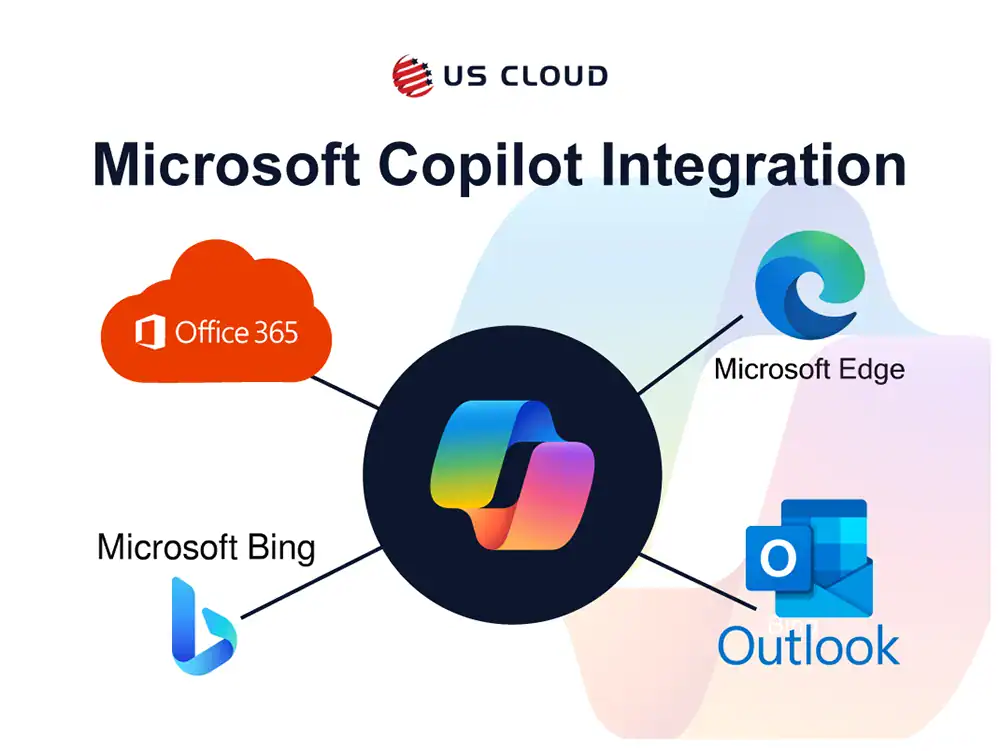
Copilot's integration across Microsoft's product ecosystem.



Microsoft Copilot is an artificial intelligence assistant feature that will be fully integrated across multiple Microsoft products, including Office 365, Outlook, Edge, and Bing. Copilot uses a large language model to assist companies in the creation of assets, emails, presentations, or more. This service aims to utilize AI to reduce the time it takes to complete small tasks that are necessary for larger projects or the everyday tasks that take up extra time. Writing emails, reviewing meetings, and more are now made easy with the help of AI.
Microsoft Copilot has been the talk of the town for months now, with the newest version having gone live this year for businesses everywhere. Microsoft claimed last year that Copilot was capable of increasing workplace productivity by eliminating mundane tasks through AI efficiency. While plenty of use cases were shown, the far-reaching implications of what Copilot could offer your enterprise wasn’t entirely touched upon.
Here are the top 10 Copilot use cases for enterprises:
Coding can be a time-consuming process that eats away at the hours, only to lead to a single mistake that causes hours of added frustration. While this isn’t always the case, small issues can inflate the time it takes to complete code. Copilot can be used to assist software developers in their coding endeavors. Copilot can help complete lines of code, debugging, or even writing entire functions.
Developers can spend more time on complex problem-solving and innovation instead of routine coding tasks or searching for bugs in the code. GitHub Copilot is a prime example, becoming a valuable tool for many programmers in simplifying their coding process. Many companies that have tested Copilot before it’s full release attest to the usefulness of the coding function.

Writer’s block comes in many forms and affects people across multiple industries, from marketing to journalism. Finding the right words can be difficult sometimes, or a topic is so new that it requires extensive research to better understand. Through Copilot applications like Jarvis and Copy.ai, writers will have an easier time forming copy.
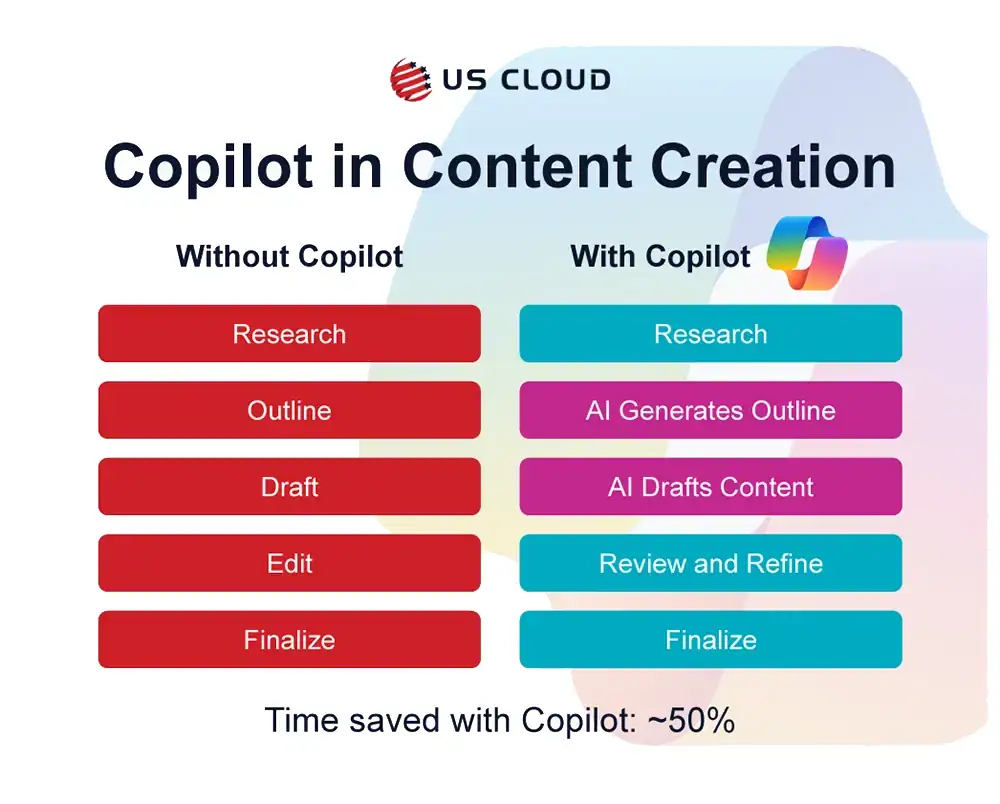
These tools help generate article drafts, headlines, marketing copy, and more to cut down on the time needed for content creation. The main advantage that Copilot brings to the table here is faster production for high quality content so the writers can focus on research, strategy, and execution. Outlining is half the battle, and with Copilot, that’s a worry of the past.
Legal professionals in corporate or contract law can use Copilot applications to automate the review and drafting of legal documents. While this is normally a time-intensive practice, the use of AI speeds up the process and lowers the chance of human error.
As more tools like Contract Companion and LawGeex become standard use brands in legal departments and law firms, the efficiency of legal workflows will increase too. Copilot can simplify your documentation process and cut the time it takes in half.
Medical professionals must do a lot of research to find symptoms for conditions and come up with potential treatments. Copilot can help assist you in diagnosing conditions and creating personalized treatment plans. Combining Copilot with your medial database offers quick access to relevant information, which leads to faster and more accurate diagnoses and more effective treatment strategies. This can improve the patient care experience and lead to more positive outcomes and less time spent in limbo, worrying over what the symptoms could lead to.
Copilot can help customer service representatives in delivering faster and more accurate support. AI can suggest the best responses or solutions by analyzing customer queries and improving customer satisfaction. You won’t have to have people to extended research or deep dives into customer feedback, because Copilot will skim any available information and give you a detailed summary and overview. This can work for customer service in any industry, from retail to tech support, helping businesses always maintain a high level of service.
Using Copilot in education enables faster creation of learning materials and catering to individual learning styles in a more direct manner. Currently, content is created for mass consumption, providing learning materials for everyone on a balanced playing field. However, not everyone learns at the same pace or at the same level. Through Copilot and adaptive AI, a more tailored approach to distance learning can be created so that students at all stages of the learning curve have content available to them through more accessible means. This is true for the creation of materials on a mass-distribution level all the way down to professors and teachers in public or private education.
While we’ve touched on Copilot in Finance in the past, a shorter summary is that Copilot can enable greater predictive modeling and more complex data analysis across multiple sectors. Those in banking, investment, or insurance are constantly making decisions based on data. Using Copilot automation to improve the data analysis enables you to identify trends faster and make strategic decisions sooner.
Copilot can optimize advertising campaigns and strategy planning to give digital marketers a way to analyze their audience faster and with more depth. Automation can analyze data from a previous campaign and suggest improvements, target demographics, and content strategies that lead to higher engagement rates and ROI. Marketers can consistently refine their approach and efforts to reach a wider audience and gain maximized impact for their efforts.
Planning optimal routes, managing inventories, and predicting demand are all factors that take time and considerable manpower. Through Copilot, operations are more efficient, lower cost, and can pivot to meet demands faster while preparing for future demand. If you want a competitive edge in logistics and distribution, automation is the wave of the future.
Architects and designers can use Copilot applications to assist in the design and visualization of projects. Automation tools can be used to enable more efficient design processes by providing real-time suggestions and automate certain parts of the design process. With these steps out of the way, professionals have more time to explore creative solutions without the worry of traditional time constraints. Project development and client presentations suddenly become much easier to shape when you have automation behind the wheel.

With all these innovations, nearly any industry will find ways to implement Copilot into their work processes. If you’re looking for an expert to help keep your Copilot running smoothly, US Cloud has you covered. Our global 24/7 support will save you 50% or more on your yearly support budget while providing lightning-fast ticket responses and resolution. When you need faster Microsoft support for less, US Cloud is the answer.