Azure Savings Plans vs Reserved Instances – Part 2.

Enterprises can scrutinize an Azure discount for weeks, then approve a business-critical workflow after a successful demonstration. That leaves a gap in the investment decision. The team has proved that the automation can run, but the business still needs evidence that it can afford, recover, and support it.
In Part 1, Azure Savings Plans vs Reserved Instances, Mike Jones explained how to match a commitment to the workloads your organization expects to keep running. This second part follows the decision into production. Azure Logic Apps is our example because a single workflow can connect several applications, identities, and support teams.
Azure Logic Apps connects applications, services, and data through automated workflows. It can coordinate orders, approvals, and system updates across cloud and on-premises environments. Once those processes carry a business deadline, their failure becomes a leadership concern.
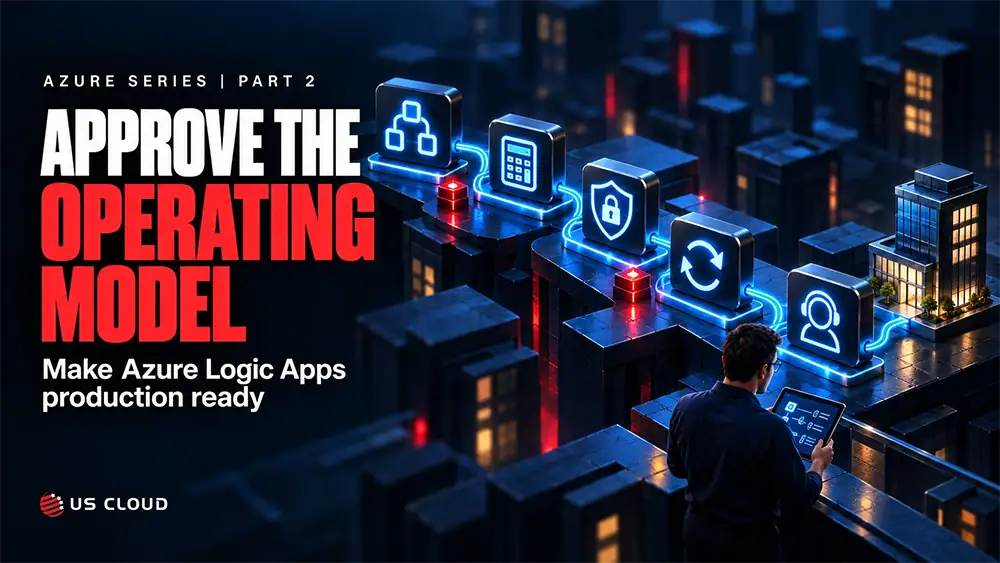
My view is straightforward: approve the operating model alongside the automation. Require a complete cost estimate, tested recovery, and a named incident owner. Use the same evidence to challenge a Microsoft support renewal that no longer reflects what the business depends on. The five approval checks below give CIOs and procurement leaders a way to make that judgment without becoming workflow developers.
ملخص تنفيذي
- Require a documented service choice tied to the process and its operating requirements.
- Approve the complete running cost, including hosting, connector calls, supporting services, and exception handling.
- Ask for evidence covering identity, sensitive data, and inbound and outbound traffic.
- Require a recovery demonstration that covers duplicate processing, throttling, and partial completion.
- Name the incident owner and verify support scope before launch or renewal. A product coverage list is only a starting point.
Require a Clear Service Choice
The first approval check is service fit. Ask why this process belongs in Azure Logic Apps and which team will own it after launch. A workflow starts with a trigger and follows actions that perform the work. Connectors provide access to supported services. Microsoft’s Azure Logic Apps overview describes the platform and hosting options.
Consider an illustrative order process. A new order arrives, the workflow checks required information, sends it to fulfillment, and alerts an employee when review is needed. The designer makes the sequence visible. Leadership still needs to know what happens if fulfillment accepts the order but the confirmation never returns.
A useful proposal explains the choice in operational terms: the systems involved, deployment requirements, security boundaries, and skills available to maintain it. It should also explain where custom processing belongs. Azure Functions can handle specialized code, while Durable Functions supports code-based orchestration. The service choice should follow the requirements.
Power Automate can also support enterprise processes, especially where business users and Power Platform governance are central. Ask the team to compare ownership, licensing, connectors, and release practices for this use case. Avoid approving or rejecting a platform simply because its interface looks easier to use.
The evidence for this check is a short architecture decision and dependency list. The business owner should be able to explain the expected outcome, and the technical owner should be able to explain how each component contributes. If those accounts differ, settle the requirement before funding the implementation.
Approve the Full Running Cost
Consumption and Standard have different billing models. Consumption meters workflow operations. Standard on a Workflow Service Plan charges for provisioned compute and memory capacity, with built-in operations included. Managed connector calls can still incur charges under Standard. Storage and other supporting services can add to the total.
The distinction between a Standard hosting plan and a Standard-priced managed connector matters. They are different classifications. Choosing Standard hosting does not make every connector operation free. Microsoft’s Logic Apps billing guidance explains how the meters work.
The second approval check is a cost estimate that follows the transaction through the entire process. Include polling, loops, pagination, retries, and exception handling, then compare a normal month with a peak month. Account for test environments, monitoring, retention, and external services. Carry forward Part 1’s workload baseline, but verify eligibility separately for every proposed discount; Logic Apps spending should not be assumed to consume a compute savings plan.
For example, an illustrative workflow that processes 50,000 records and makes four managed connector calls per record starts with 200,000 calls. That is a planning baseline, not a bill. Pagination, retries, polling, and the connector’s metering behavior can change the charged volume. Validate assumptions against measured usage before Finance approves a recurring budget.
Standard can be appropriate when its networking capabilities, runtime controls, or capacity model fit the requirement. Consumption can be appropriate for intermittent workloads. Neither choice guarantees a lower total cost. Forecast the workload first, then compare the relevant hosting options and regional rates.
Give the cost forecast an owner and an investigation threshold. When spending rises, ask whether the business processed more work or whether retries and failed runs consumed more resources. Cost per completed business transaction can help distinguish growth from inefficiency. Review it alongside total spend, because a favorable unit cost can still exceed the approved budget at higher volumes.
Verify Access Controls
The third approval check is an access and data flow review. Ask what enters the workflow, which systems receive it, where outputs are stored, and who can inspect execution details. Include logs and support access. A small payload can still expose sensitive information through its run history, so the review should cover the complete process.
Use managed identities where the selected connector and target service support them. A managed identity can remove the need to manage credentials for supported connections. It does not automatically authenticate every connector or grant access to every resource. Validate permissions for each action and use an approved credential process for connections that need another authentication method.
Separate deployment permissions from the permissions the workflow uses to access business data. Review who can change the workflow, modify connections, inspect payloads, and rerun failed transactions. Document how those permissions are removed when a team member changes roles.
Networking needs the same level of precision. For Standard workflows, private endpoints address inbound access; virtual network integration addresses outbound connectivity. Enabling a private endpoint does not automatically move every connector call onto a private network. Check the complete path, including managed connectors and destination services, against Microsoft’s Standard workflow networking guidance.
Security reviewers should also assess data retention, logging access, and the handling of sensitive action inputs and outputs. Collect enough diagnostic information to investigate failures without unnecessarily exposing business data.
For regulated workloads, ask the appropriate internal team to define location, access, and contractual requirements. The location of support engineers is one part of that review. It does not establish compliance or data residency on its own. Require evidence that the proposed workflow and support process meet the organization’s documented requirements.
Require a Recovery Demonstration
The fourth approval check is a recovery demonstration. A successful launch demonstration usually follows the expected path. Production introduces missing fields, duplicate messages, expired connections, and partial completion. Ask the team to demonstrate how it identifies an affected business transaction and restores the process before a deadline is missed.
Require the team to test incomplete and unexpected data. A schema generated from a single sample may miss optional fields, null values, or changed data types. Parsing a payload does not prove that an order or invoice meets the business rules. The business owner should define what makes a transaction acceptable and what must be rejected for correction.
Define how invalid records are handled. A useful exception record identifies the transaction, the failed step, and the person or team responsible for correction. Avoid a process in which a run fails silently and the business discovers the missing update days later.
For throttling, distinguish limits imposed by Logic Apps from those imposed by a connector or destination API. More hosting capacity does not remove another service’s rate limit. Review concurrency, suitable retry settings, and buffering where needed. Confirm that the recovery behavior respects the downstream system’s limits.
Retries also need protection against duplicate business actions. If an order was accepted but the response was lost, a repeated request could create a second order. Use a transaction identifier and a supported duplicate-checking approach. Test partial completion and document when an operator may safely replay a failed transaction.
Set a business recovery target for the process and test it with the people who would respond. In the order example, the team should show whether the order reached fulfillment, whether a replay could duplicate it, and who authorizes the next action. Record the result and any manual workaround. A technical run marked successful is not sufficient if the business record is missing or incorrect.
Make Support Prove Its Scope
The fifth approval check is incident ownership. An integration can cross several support boundaries in one run: workflow logic, Microsoft Entra permissions, network rules, Microsoft services, and third-party APIs. Someone must coordinate the investigation while the cause is still unknown. Assign that role before production.
Use one critical workflow to test the proposed support model. Ask who receives the incident, establishes severity, gathers evidence, and gives the business its next update. Confirm who can authorize a workaround and who verifies recovery. The internal business owner remains accountable for the process even when a provider coordinates technical troubleshooting.
Bring a sample evidence package to the walkthrough: correlation identifiers, timestamps with a time zone, recent deployment changes, and a description of business impact. Agree on how diagnostic data will be shared securely. A provider should explain which evidence it needs without treating unrestricted access or complete business payloads as the default.
US Cloud lists Logic Apps within its Azure platform and application support. That is a starting point for evaluation. Ask which workflow troubleshooting, custom components, third-party dependencies, and coordination activities would be included in your agreement. Get the exclusions and required customer responsibilities alongside the coverage statement.
Compare US Cloud and Microsoft Unified Support against those same requirements. Ask both providers what happens when a case requires a Microsoft platform fix or action from another vendor. Record the escalation route, required entitlements, and who keeps ownership of the customer-facing incident. Do not infer internal Microsoft engineering access from a claim of broad product coverage.
Four weeks before renewal, prioritize a scope comparison and a live incident walkthrough. Request evidence for response commitments, engineering access, escalation responsibility, and transition continuity. If a final objection remains two weeks before renewal, isolate it and request the specific contract term, operational evidence, or transition milestone needed to resolve it.
The support decision should follow the production dependency. A renewal quote based on last year’s service assumptions may leave this year’s automation exposed to unclear ownership. Require the proposal to explain how support applies to the environment you now run, and keep projected support savings separate from the infrastructure savings modeled in Part 1.
Make the Pilot an Approval Gate
Choose a pilot that represents the production challenge. A simple notification may prove that a connector works, but it will reveal little about a process involving sensitive data, multiple systems, and recovery after partial completion.
Before building, agree on acceptance criteria with the process owner. Useful measures include successful business transactions, end-to-end completion time, unresolved exceptions, recovery time, and monthly operating cost. Record how each measure will be collected and who can approve the result.
Developer tests are useful evidence, but they cannot establish the behavior of every production dependency. Require a controlled environment that represents the intended permissions, network paths, and connected systems. Keep production data out of developer tests unless its use is explicitly approved. Ask which conditions remain untested and who is accepting the resulting exposure.
Version the workflow and its deployment configuration. Review changes, separate environment settings, and promote releases through a repeatable deployment process. Include connections and access assignments in the release checklist so a workflow definition is not promoted without the resources it needs.
Test at least one failure that requires an operator to intervene. Ask that person to locate the affected transaction, identify the cause, and follow the recovery instructions. If the instructions depend on the original developer remembering undocumented details, the pilot has exposed an operational gap worth fixing.
Require unresolved pilot issues to have an owner and a disposition. Some gaps may justify delaying launch; others may be accepted with a temporary control and a deadline. Record that decision so an exception does not quietly become permanent. The person accountable for the affected business process should understand what remains unproven.
For any AI or preview capability under consideration, ask the team to verify release status, regional availability, terms, and support boundaries. Define who authorizes consequential actions. Do not count a planned capability as part of the approved operating model until its availability and behavior have been validated for the intended deployment.
Approve the Operating Model
Before approving the workflow, ask for five items: a documented service choice, a complete cost estimate, an access and data flow review, tested recovery instructions, and named support owners. Have the business owner, technical owner, and budget owner review the same evidence. Assign each missing item a decision and a deadline.
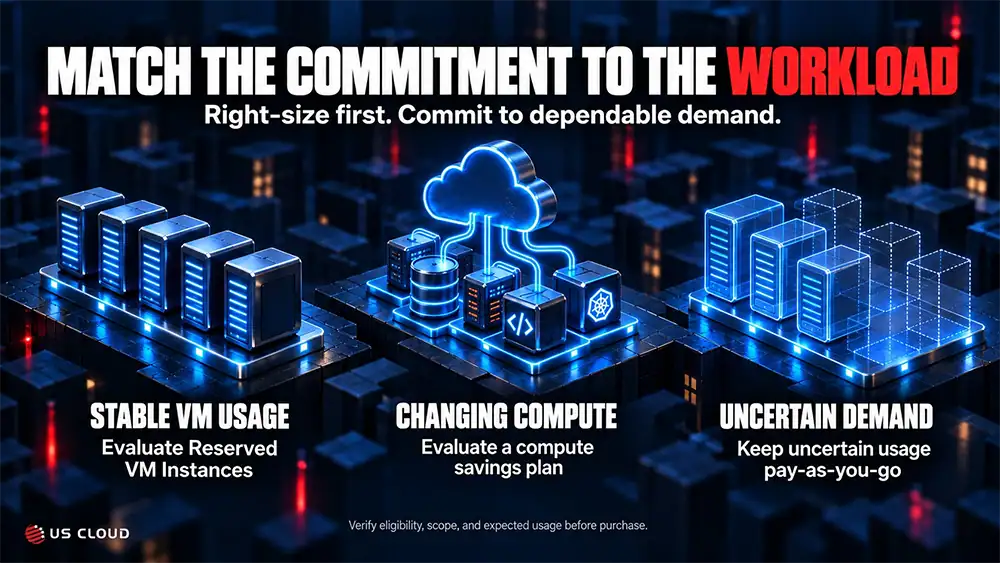
Together, the two parts of this series provide a connected approval process. Part 1 establishes which Azure commitments fit the workload and what happens when demand changes. Part 2 (this part) establishes how the resulting business process will be operated and supported. Neither approval substitutes for the other, and neither requires accepting a support renewal by default.
Talk to a US Cloud expert to review support scope for one critical Azure workflow before your next renewal. Bring its dependencies, recovery requirements, current agreement, and the specific coverage question your team needs answered. Use that discussion to build a comparison your buying committee can evaluate.
Azure Logic Apps FAQs
What is Azure Logic Apps for?
Azure Logic Apps automates processes that connect applications, services, and data. Common uses include coordinating system updates, routing work for approval, moving information between applications, and orchestrating security response tasks.
Can it run in production?
Yes. Production readiness depends on the design and operating controls around the workflow. Validate access, dependencies, limits, monitoring, recovery, and support ownership before relying on it for a business-critical process.
Which plan should we choose?
Compare Consumption and Standard against workload volume, connector usage, networking, and runtime requirements. Standard capacity can make the compute baseline easier to forecast, but managed connectors and supporting services can still add variable charges.
Does it replace custom code?
It can reduce the amount of integration code a team maintains. Some requirements still suit custom processing or another service. Keep specialized logic in a maintainable component and make its ownership clear.
Does Standard stop throttling?
No. A connector or destination API can impose limits independently of hosting capacity. Review the specific limit and test concurrency, retries, and buffering against it.
What support should we verify?
Verify coverage for the workflow, connections, identity, networking, and dependent services. Ask who coordinates cross-service incidents, what evidence is required, and how issues outside the provider’s scope are escalated.