Microsoft 365 Price Increase July 1, 2026: What Enterprise Buyers Need to Know: Part 1.

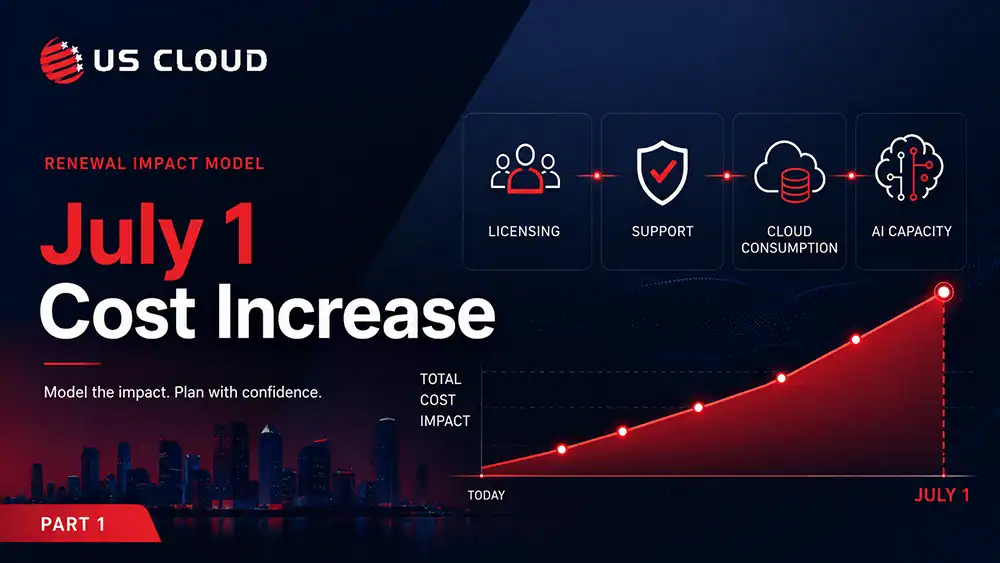
Microsoft’s July 1 price increases are not just another licensing update. For enterprise buyers, they are a test of renewal discipline, cost control, and executive readiness. When Microsoft costs rise, the impact rarely stays contained to one line item. Licensing, support, Azure consumption, AI capacity, and contract structure can all move together. That is why CIOs, CFOs, procurement leaders, and IT teams need a clear plan before the renewal is signed.
At US Cloud, we help enterprises take back control of that moment. The objective is not to disrupt Microsoft operations or create unnecessary risk. The goal is to provide buyers with the clarity, influence, and reliable options they need to renew confidently and advantageously.
요약
- Microsoft 365 price increases take effect July 1, 2026 for select commercial and government customers.
- The impact extends beyond license prices because support costs, Azure usage, AI capacity, and contract structure can move with the broader Microsoft estate.
- Enterprises should validate their Microsoft baseline before accepting renewal assumptions.
- E5/E7 packaging changes, Security Copilot SCU limits, and pay-as-you-go AI usage should be included in renewal modeling.
- CFOs and CIOs should align on the fully loaded renewal impact before negotiation begins.
What is the July 1, 2026 Microsoft 365 Price Increase?
Microsoft is raising prices for select Microsoft 365 and Office 365 commercial suites, standalone components, frontline plans, business plans, and government equivalents beginning July 1, 2026. Existing customers move to the new pricing at their next renewal after that date. For enterprise buyers, the budget impact can extend beyond license prices because Microsoft Unified Support, Azure consumption, AI capacity, and future contract structure may also move with the broader Microsoft estate.
What Is Changing in the July 1, 2026 Microsoft 365 Price Increase?
Microsoft is increasing prices for select Microsoft 365 commercial suites and standalone components effective July 1, 2026. This increase applies globally to new and renewing customers. Existing customers will move to the new prices at their next renewal after July 1, 2026.
Microsoft’s listed prices for enterprise packages separate changes into two groups: those without Teams and those that include Teams..
| 제품 | Increase | Old Price | New Price |
|---|---|---|---|
| With Teams | |||
| Office 365 E3 | 13% | $23 | $26 |
| Office 365 E5 | 8% | $38 | $41 |
| Microsoft 365 E3 | 8% | $36 | $39 |
| Microsoft 365 E5 | 5% | $57 | $60 |
| Without Teams | |||
| Office 365 E3 | 14% | $14.45 | $17.45 |
| Office 365 E5 | 10% | $29.45 | $32.45 |
| Microsoft 365 E3 | 11% | $27.45 | $30.45 |
| Microsoft 365 E5 | 6% | $48.45 | $51.45 |
Which Microsoft 365 Customers Are Affected?
The price increase affects business customers using Office 365 E3/E5, Microsoft 365 E3/E5, EMS, Windows, Entra, Microsoft 365 Apps, and related SKUs. Government suites are affected across GCC, GCC High, DoD, and NCOE. Microsoft notes that some government increases over 10% are phased over several years per federal rules.
Notable exclusions from the July 1 price increase include Government US AGC and education pricing. Microsoft mentions that while the pricing for Microsoft 365 E7 will remain unchanged, the packaging updates made to Microsoft 365 E5 will also be implemented for E7.
What Are the Microsoft 365 E5 and E7 Packaging Changes?
Microsoft is packaging several changes into E5 and E7. These changes are expected in Q3 2026. Changes include Copilot enhancements and analytics, Intune changes, and Intune endpoint privilege management. Notably, Security Copilot is included in the packaging changes. This update introduces these capacity limits: 400 security compute units (SCUs) each month for every 1,000 paid user licenses, with a maximum of 10,000 SCUs per month. These same Copilot capacity limits will also apply to E7.
Although the E7 pricing itself hasn’t changed, the capacity limits could affect the IT budgets of companies using Microsoft 365 E7. A Security Copilot SCU is not a user seat, prompt, or task count. This refers to a unit for measuring computing power usage, which changes based on prompt difficulty, workflow, plugin usage, built-in product experience, automation, and the size of the output. E5 and E7 customers could use up the 400 SCUs per 1,000 users quickly if they rely on Security Copilot for extensive investigations, promptbooks, integrated security workflows, or automated actions.
Copilot should be treated as a metered AI resource. After reaching the designated capacity, any extra usage will be limited in the future. You will have the choice to pay $6 USD per SCU for additional usage. Microsoft has said that customers will receive 30 days’ advance notice when the pay as you go option is available.
Why the July Microsoft Price Increase Requires Executive Attention
The July 1 Microsoft 365 price increase is not just a licensing event. It is a budget, risk, and operating model decision. For large enterprises, higher Microsoft 365 prices can cascade into the IT budget. Support costs, Azure consumption assumptions, AI capacity planning, and future contract commitments are at risk. Executives should review the renewal to confirm the organization is only paying for what it needs, preserving business continuity, and maintaining leverage for the next Microsoft investment.
How Enterprises Should Model the Full Microsoft Renewal Impact
The real question: what is the fully loaded Microsoft cost? The renewal conversation should not begin with the published license increase. It should begin with the fully loaded Microsoft cost. For most enterprises, that includes the Microsoft 365 license delta, Unified Support exposure, Azure consumption assumptions, AI metering risk, and any new packaging decisions that affect future adoption. This matters because each cost category can appear reasonable in isolation while still producing a material budget increase when combined. A disciplined renewal model gives finance and IT one shared number to manage, instead of separate views of the same Microsoft estate.
Step 1: Establish a Clear Microsoft Spend Baseline
You cannot minimize what you have not measured. By July 1, each company needs to have a clear, reliable understanding of the true cost of Microsoft for their business today, rather than just what appears on the EA invoice.
A real baseline includes four layers: (1) license spend by SKU and assignment, (2) Unified Support fees (typically calculated as a percentage of eligible Microsoft product spend), (3) Azure consumption tied to identity, security, and productivity workloads, and (4) the indirect cost of internal staff time spent managing Microsoft tickets, escalations, and renewals.
Most finance teams have line one. Few have all four. That gap is where the July 1 increase will hide. Microsoft’s published list-price delta is the smallest part of the total renewal impact. If your baseline only captures license cost, you will negotiate the renewal blind. Retrieve twelve months of actual data, standardize it by user and business unit, and make sure to finalize the numbers before any Microsoft meeting.
CFO takeaway: Treat Microsoft as a single P&L category, not three. Combine the licensing, support, and Azure into a single baseline. This way, the renewal impact can be evaluated based on EBITDA rather than treated as just an IT expense.
CIO takeaway: Map every SKU to an owner and a workload. Your unassigned, duplicate, or outdated SKUs can be your first negotiation tools. They provide a quick way to fund modernization efforts without requesting additional budget from finance.
Step 2: Separate Essential Microsoft Value from Unused Microsoft Spend
Once the baseline is set, the next discipline is honest segmentation. In nearly every enterprise environment we review, Microsoft spend falls into three buckets: essential, underused, and dormant.
Essential spend powers identity, productivity, security, and the workloads your business literally cannot run without. Protect it. Underused spending refers to SKUs like Power BI Pro, Project, Visio, Defender add-ons, and the growing number of Copilot SKUs, which are available but only utilized by a small segment of those licensed. Dormant spending is a hidden issue: it includes licenses given to employees who have left, duplicate entitlements already covered in your suite, and standalone SKUs that were included in E5 two renewals back.
The July 1 increase makes this segmentation urgent because every dormant or underused license is now being repriced upward. You are about to pay more for software no one is using. Generate a report comparing assignments to activities using Microsoft 365 usage analytics. Identify any usage below 30% active and add those to a “justify or retire” list for consideration before the renewal period.
CFO takeaway: Starting on July 2, the cost of unused Microsoft licenses will increase. It’s important to handle license cleanups as a one-off expense reduction task with a strict deadline, rather than treating it as a continuous IT maintenance effort.
CIO takeaway: Adoption data is your defense. Walk into the renewal with usage analytics in hand so SKU reductions are backed by evidence, not opinion.
Step 3: Model Licensing, Support, Azure, and AI Together
The headline number Microsoft publishes is the list-price change. The number that hits your budget is significantly larger, because three other costs move at the same time.
A complete renewal model has to account for: (1) the direct list-price increase on affected SKUs, (2) the downstream increase in Unified Support, which is calculated against your eligible Microsoft spend and therefore rises automatically when license costs rise, (3) If Security Copilot SCU usage exceeds the 400 per 1,000 users limit, the cost becomes pay-as-you-go, charged at $6 per SCU when metering starts, and (4) packaging changes in E5 and E7 that may shift previously standalone costs into your suite.
Construct the model considering three different scenarios: maintaining the current renewal, improved renewal following the cleanup in Step #2, and enhanced renewal with a change in support strategy as outlined in Step #4. The delta between scenario one and scenario three is the real number worth negotiating around.
CFO takeaway: Forecast the renewal as a fully loaded number: licenses + support + AI metering + packaging. A model that only shows the license delta will understate the budget hit by a meaningful margin and erode credibility when the true number lands.
CIO takeaway: Build SCU consumption assumptions now, before Security Copilot adoption accelerates. Intensive investigative procedures, guidebooks, and proactive automation tend to deplete resources more quickly than anticipated from typical calculations, leading to decisions on adjusting pace or incurring extra costs that will arise in the middle of the fiscal year.
What to Ask Finance and IT Checklist
Before accepting the renewal baseline, executives should ask these five questions:
- Which SKUs are increasing on July 1?
- Which users are assigned licenses they do not actively use?
- Which standalone products are now included in broader suites?
- How does the higher Microsoft spend affect Unified Support pricing?
- What Security Copilot usage assumptions should be included in E5 or E7 adoption expands?
These questions turn the renewal from a vendor-led pricing discussion into a business-planning enterprise.
FAQ: July 1 Microsoft 365 Price Increase
When does the Microsoft 365 price increase take effect?
Microsoft’s Microsoft 365 pricing update takes effect July 1, 2026. Existing customers generally move to the new prices at their next renewal after July 1, 2026.
Which Microsoft 365 enterprise plans are increasing?
The enterprise increases include Office 365 E3, Office 365 E5, Microsoft 365 E3, and Microsoft 365 E5, with different increases for suites with Teams and suites without Teams.
Does Microsoft 365 E7 pricing change on July 1, 2026?
Microsoft says Microsoft 365 E7 pricing is not changing as part of this update, but packaging changes introduced to Microsoft 365 E5 also apply to Microsoft 365 E7.
Why should enterprises model more than the license increase?
Enterprises should model the full renewal impact because higher Microsoft 365 pricing can also affect Microsoft support costs, Azure assumptions, AI capacity planning, and future contract commitments.
In Part 2, we will move from understanding the July 1 Microsoft 365 price increase to reducing its impact. That means benchmarking Microsoft Unified Support, protecting business continuity during cost review, creating renewal leverage before the deadline, and deciding what must stay with Microsoft versus what can be independently supported. The goal is not to use less Microsoft. The goal is to manage Microsoft spend with more discipline before the renewal is signed