

Contratto Enterprise Agreement EA di Microsoft
Supporto Microsoft per la pubblica amministrazione
Microsoft Customer Agreement vs. Enterprise Agreement: The Government Administrative-Refresh Trap.

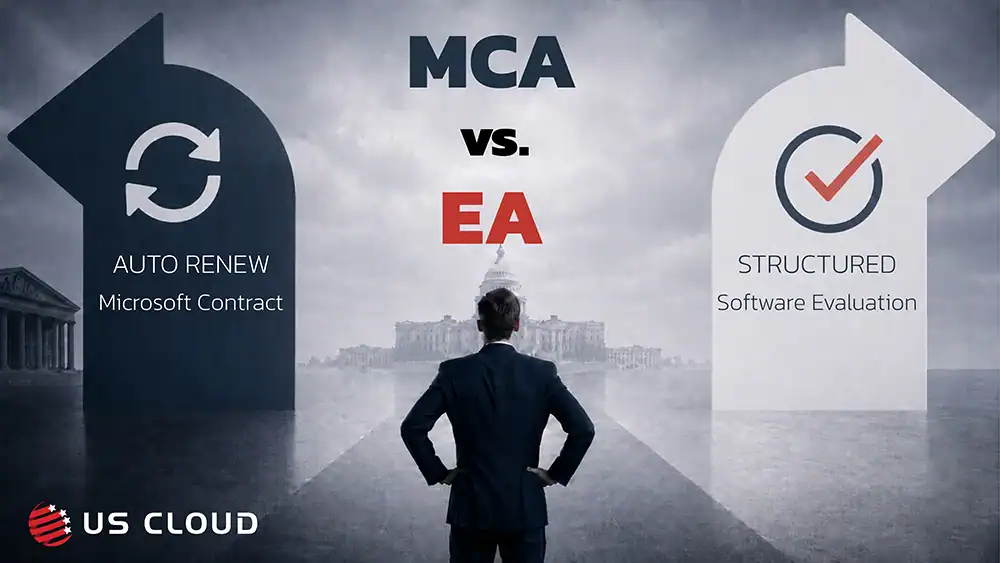
Renewal Reality Check: This series helps buyers identify pricing, timing, contract, and support risks before a Microsoft renewal.
As the Microsoft Enterprise Agreement approaches expiration, the account team presents the Microsoft Customer Agreement as the simpler path. Legal reviews a shorter agreement. Finance discusses billing profiles. IT maps subscriptions. The project is labeled an administrative refresh.
That label may be the first sign that the organization is losing control of the sourcing decision. For government procurement, Microsoft Customer Agreement vs. Enterprise Agreement is not just a billing choice. It is a commercial, governance, records, and support decision.
As the Microsoft Enterprise Agreement approaches expiration, the account team presents the Microsoft Customer Agreement as the simpler path. Legal reviews a shorter agreement. Finance discusses billing profiles. IT maps subscriptions. The project is labeled an administrative refresh.
That label may be the first sign that the organization is losing control of the sourcing decision. For government procurement, Microsoft Customer Agreement vs. Enterprise Agreement is not just a billing choice. It is a commercial, governance, records, and support decision.
What is the administrative-refresh trap?
The administrative-refresh trap occurs when an organization treats an EA-to-MCA transition as routine processing instead of a fresh sourcing decision. Pricing, authority, reporting, records, support, and future leverage still require review.
Buyer takeaway: No service interruption does not mean no procurement impact. Billing authority, reporting, support, and future review timing can still change.
Executive summary
- The MCA uses a different agreement, billing, and administrative structure from the EA.
- An EA-to-MCA migration is a billing change, but it still requires commercial and governance approval.
- Procurement should separately evaluate the agreement, product commitments, billing governance, and enterprise support.
- Because the MCA does not expire, procurement should create annual or milestone-based commercial reviews.
- A safe transition requires a written comparison, tested billing, preserved records, validated support, and a readiness gate.
What is the Microsoft Customer Agreement?
The Microsoft Customer Agreement, or MCA, is a digital agreement for buying Microsoft cloud products and services. Microsoft says it does not expire and updates as products are added. Azure billing is organized around a billing account, billing profiles, invoice sections, and subscriptions.
Each billing profile generates a monthly invoice, while invoice sections organize costs by department, project, program, or another reporting need. Administrative simplicity does not answer whether pricing is competitive, commitments are correctly sized, permissions are controlled, records are audit-ready, or support has been evaluated separately.
Che cos'è il Contratto Enterprise Microsoft?
The Microsoft Enterprise Agreement, or EA, is a volume licensing contract used by large organizations to purchase Microsoft software, cloud services, and subscriptions under negotiated terms. It typically runs for a defined multiyear period and may include pricing protections, purchasing commitments, enrollment structures, and renewal provisions. For government buyers, the EA also creates a formal point to review usage, costs, support, contract rights, and future sourcing options.
Microsoft Customer Agreement vs. Enterprise Agreement: what should government procurement compare?
The EA is a fixed-term volume licensing agreement built around negotiated pricing, enrollment structures, purchasing commitments, and a defined renewal cycle. The MCA is a shorter agreement that doesn’t expire and uses a billing a structure based on billing accounts, billing profiles, invoice sections, and subscriptions. The EA creates a formal renewal event whereas the MCA requires the organization to establish its own recurring review process. There are six key areas to consider when considering moving from MCA to EA.
| Evaluation area | Accordo aziendale | Contratto con il cliente Microsoft | Government procurement question |
|---|---|---|---|
| Agreement lifecycle | Defined agreement and enrollment terms | Agreement does not expire | What triggers the next commercial review? |
| Billing organization | Enrollment, department, and account structure | Billing account, billing profiles, and invoice sections | Does the structure align with programs, funds, and reporting? |
| Administration | EA-related roles | MCA billing and invoice roles | Who can view costs, create subscriptions, approve purchases, and change the hierarchy? |
| Historical reporting | Existing EA billing scope | New MCA billing scope | What must be exported, retained, and reproducible? |
| Assistenza | Existing support arrangement | Must be explicitly validated | Which support plan or provider will cover the new billing account? |
| Transition | Existing agreement until expiration or change | Billing relationship changes | Who owns readiness, approval, and the go/no-go decision? |
How does the administrative-refresh trap develop?
The administrative-refresh trap usually develops gradually. As the decision moves from agreement review to implementation, a series of four seemingly routine steps can narrow your organization’s options before procurement has completed a full evaluation.
Stage one – simplification: The conversation centers on a shorter agreement, continued Microsoft services, billing migration, and implementation timing.
Stage two – a narrow workstream: Licensing, billing, legal, accounts payable, and the incumbent account team carry the project. Procurement, vendor risk, records, audit, security, and support enter late.
Stage three – implementation before evaluation: Teams configure billing and permissions before the future commercial model is approved.
Stage four – the deadline becomes the decision: The question changes from “Is this the right future-state model?” to “Can we complete the transition before the EA expires?”
Implementation can make an unapproved direction feel inevitable. Instead, it should feel like a strategic decision that procurement, finance, IT, and legal have mutually selected.
Why is an EA-to-MCA transition more consequential for government?
Government organizations must connect Microsoft purchasing to public accountability, acquisition rules, cybersecurity, records requirements, and mission continuity. The US Government Accountability Office (GAO) has emphasized stronger software-license inventories and usage tracking. In 2024, it warned that agencies may miss savings when they do not compare licenses in use with licenses purchased. In June 2026, GAO identified cloud procurement challenges involving cost management, acquisition data, guidance, workforce capacity, and multi-vendor complexity.
After staffing declined, the US Social Security Administration (SSA) held 2,577 Microsoft 365 licenses above its planned reserve in an audit reviewing its Microsoft 365 purchases and usages for fiscal years 2022 through 2026. A contract provision let it reduce its fiscal 2026 purchase from 94,500 to 82,514 licenses, saving an estimated $6 million. This audit also identified about $7.6 million in potentially redundant products.
This audit was not about the MCA. The broader lesson is to document what the agency owns, uses, needs, and can reduce before accepting a new structure. Billing must reflect departments, grants, programs, funds, shared services, and contractor operations. A fast portal setup is not automatically an auditable model.
What changes during an EA-to-MCA migration?
An EA-to-MCA migration may leave Microsoft workloads running, but it changes more than the billing destination. Procurement, finance, IT, and security teams should understand the five areas that affect governance, reporting, support, and future commercial control.
1. The billing hierarchy changes
The basic structure is:
Billing profiles manage invoices and payment responsibility; invoice sections group costs. Procurement and finance should decide how many invoices are needed, how shared costs are allocated, whether reports can be recreated, and who may change the hierarchy.
2. Administrative and purchasing authority changes
MCA roles can control billing access, invoices, products, and subscription creation. Role assignment is therefore a financial and access-governance decision.
Confirm who can view costs, create subscriptions, approve purchases, and change billing. Document approval thresholds, contractor access, role reviews, and offboarding.
3. Historical data needs a preservation plan
Preserve agreements, orders, price sheets, invoices, usage data, approvals, role assignments, negotiation files, support history, and cost-allocation models. National Archives and Records Administration says federal records obligations still apply in cloud environments.
4. Technical continuity is not commercial continuity
Microsoft says EA-to-MCA is a billing change, not an Azure resource or access-permission change. Technical continuity does not eliminate commercial, support, or records review.
5. Support requires a separate decision
Microsoft’s current migration checklist states that support plans do not transfer to the MCA and must be repurchased. It also notes that the migration may affect Unified Support subscriptions. Compare support options on coverage, severity definitions, response commitments, escalation ownership, senior-engineer access, government-cloud experience, reporting, term, and price. Microsoft products, billing, and enterprise support do not have to be one decision. Buyers can keep Microsoft technologies while independently benchmarking support.
In practice, require a one-page approval record that names the selected agreement path, approved commitments, billing owners, records owner, support provider, transition date, and next commercial review. That document gives the buying committee a clear decision trail and gives implementation teams an approved future state.
Two common buyer objections
“If the workloads are not moving, why slow down the transition?”
Because billing authority, invoice design, purchasing permissions, records access, support, and review timing can change. Use a readiness gate before completing the transition.
“Isn’t support already included in the Microsoft relationship?”
Do not assume it is. Microsoft says support plans do not transfer automatically. Approve the future provider, scope, service levels, escalation path, dates, and cost separately.
Eight questions procurement should ask before approving the MCA
- Are we evaluating a commercial model or processing paperwork?
Require a written current-versus-future comparison covering terms, quantities, pricing, commitments, billing, support, authority, and review dates. - What changed in pricing, quantities, commitments, and protections?
Validate discounts, consumption assumptions, reduction rights, cancellation terms, price protections, currency, and additions. Do not substitute agreement changes for a utilization review. - Does the billing structure reflect government financial requirements?
Test invoices, purchase orders, shared-cost allocation, grant reporting, and charge validation. Finance should confirm that audit reports can be recreated. - Who can view costs, create subscriptions, and make purchases?
Document role scope, approval thresholds, contractor access, inherited permissions, periodic reviews, and offboarding procedures. - What records must be preserved before transition?
Create a retention checklist with an owner for each record category. Download access is not a retention and audit-access plan. - What happens to Microsoft support?
Compare coverage, service levels, escalation ownership, engineering access, government-cloud capabilities, reporting, cost, contract dates, and transition responsibilities. - Are four buying decisions being collapsed into one?
Evaluate the agreement vehicle, product and cloud commitments, billing governance, and enterprise Microsoft support separately. - What will preserve leverage after acceptance?
Schedule commercial reviews, utilization analysis, support benchmarks, role recertification, invoice audits, vendor reviews, and market checks.
Leverage rule: If the agreement no longer creates a renewal event, procurement must create its own review cycle.
Government EA-to-MCA decision framework
Run four coordinated workstreams:
- Commercial and contractual review: Procurement, legal, and finance compare terms, pricing, commitments, alternatives, and documentation.
- Billing and financial governance: Finance, FinOps, program owners, and billing teams design allocation, invoices, roles, reporting, and controls.
- Technology, security, records, and support: IT, security, operations, records, and vendor risk validate dependencies, support, escalation, access, retention, and continuity.
- Approval and implementation readiness: The executive sponsor confirms alternatives, support, records, roles, billing tests, and a post-transition review.
Use Q3 before fiscal year-end or Q4 budget pressure compresses the decision. Collect usage data, benchmark support, test reporting, and resolve disagreements before implementation creates momentum.
How can you tell whether you are caught in the trap?
Warning signs include:
- Procurement joined after the direction was selected.
- No written EA-versus-MCA comparison exists.
- Support is being handled as a migration detail.
- No competitive benchmark has been completed.
- Billing roles are being assigned without governance review.
- Historical data has not been archived.
- The next commercial-review date is undefined.
- The decision record documents process but not alternatives.
The MCA may be the right structure, but it should follow a documented evaluation – not become the default outcome of an administrative project. Before approval, ask one final question:
Did we refresh Microsoft’s paperwork, or did we make a sourcing decision we can defend?
Frequently asked questions
Does the Microsoft Customer Agreement expire?
No. Microsoft says the MCA does not expire, although subscriptions, commitments, products, and pricing can have their own terms. Schedule regular commercial reviews.
Is moving from an EA to an MCA a technical migration?
Primarily, it is a billing transition. Microsoft says it does not move Azure resources or alter existing access, but it changes billing administration.
Does Microsoft support automatically transfer to the MCA?
No. Microsoft says support plans do not transfer and must be repurchased. Confirm provider, scope, service levels, timing, and cost separately.
What should government procurement preserve before transition?
Preserve agreements, orders, price sheets, invoices, usage data, approvals, role assignments, cost models, negotiation files, support records, and audit documentation.
What is the biggest procurement risk in an EA-to-MCA migration?
The biggest risk is allowing implementation to substitute for a sourcing decision. Approve the agreement, commitments, billing model, and support strategy separately but together.
Don’t let the billing transition decide your support strategy.
Before moving from an Enterprise Agreement to the Microsoft Customer Agreement, independently compare support coverage, escalation ownership, pricing, and future renewal leverage.
Request a Microsoft Support & Renewal Benchmark
Third party sources for this article:
- Microsoft Licensing — Microsoft Customer Agreement
- Microsoft Learn — Get started with a Microsoft Customer Agreement billing account
- Microsoft Learn — Billing roles for Microsoft Customer Agreements
- Microsoft Learn — Onboard to the Microsoft Customer Agreement
- Microsoft Learn — Microsoft Customer Agreement billing migration checklist
- National Archives and Records Administration — Guidance on Managing Records in Cloud Computing Environments
- SSA Office of the Inspector General — The Social Security Administration’s Use of Microsoft 365 Licenses
- S. Government Accountability Office — Federal Software Licenses: Agencies Need to Take Action to Achieve Additional Savings
- S. Government Accountability Office — Cloud Computing: Federal Government Needs to Address Procurement Challenges

Microsoft 365 Price Increase July 1, 2026: What Enterprise Buyers Need to Know: Part 2
Pubblicato il giugno 22, 2026
Microsoft 365 Price Increase July 1, 2026: What Enterprise Buyers Need to Know: Part 1
Pubblicato il giugno 16, 2026
Microsoft Unified Support Costs for Government
Pubblicato il giugno 02, 2026
