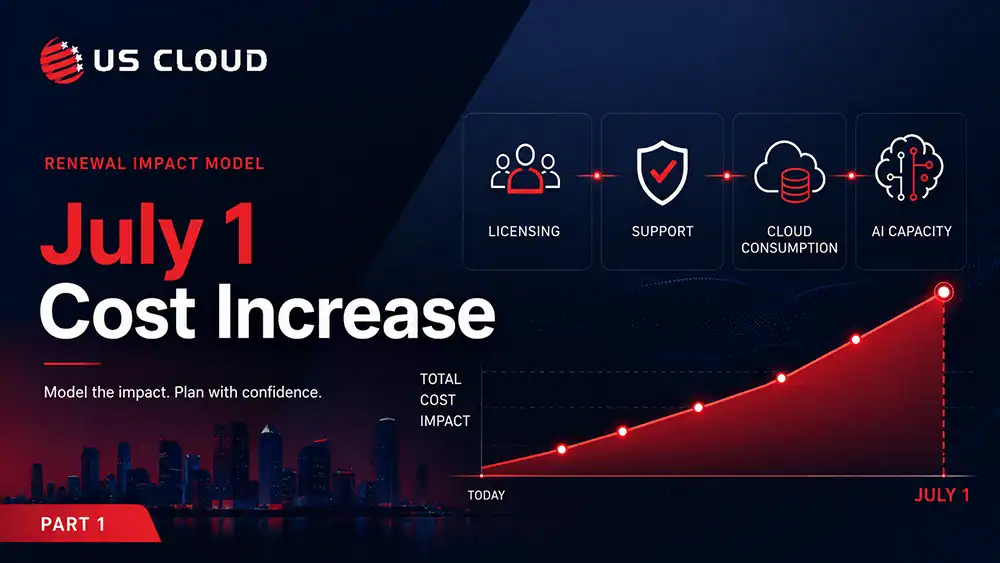
Microsoft 365 Price Increase July 1, 2026: What Enterprise Buyers Need to Know: Part 2.

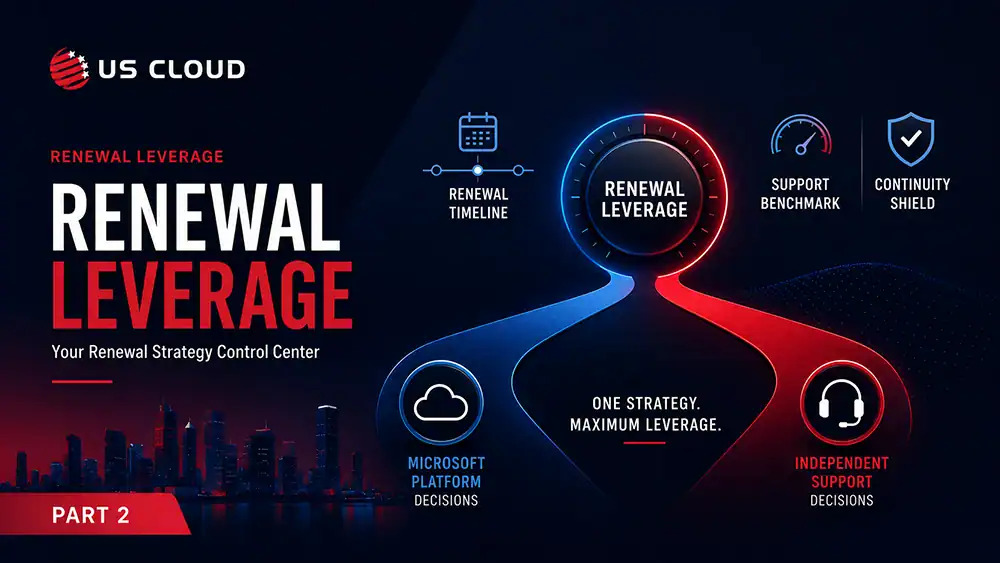
In Part 1, we covered what is changing on July 1, who is affected, and why enterprises need to model the full renewal impact across licensing, support, Azure, and AI capacity. Part 2 moves from analysis to action. The next step is to reduce unnecessary Microsoft spend, benchmark Unified Support, preserve business continuity, and create credible renewal leverage before the agreement is signed.
Resumen ejecutivo
- Benchmark Microsoft Unified Support before finalizing the renewal.
- Protect business continuity while reviewing licenses, support coverage, and AI capacity.
- Bring finance, procurement, legal, and IT operations into one renewal position.
- Create credible optionality through independent Microsoft support alternatives.
- Separate what must stay with Microsoft from what can be independently supported.
How Can Enterprises Minimize the Microsoft 365 Price Increase?
Enterprises can reduce the impact of the July 1 Microsoft 365 price increase by benchmarking Microsoft Unified Support before renewal, protecting business continuity during license and support review, aligning finance and IT around one renewal position, and creating credible optionality through independent Microsoft support alternatives. The goal is not to reduce Microsoft usage across the business. The goal is to separate essential Microsoft value from avoidable Microsoft spend before the renewal is signed.
Step 1: Benchmark Microsoft Unified Support Before Renewal
Unified Support is the single largest Microsoft line item most enterprises never renegotiate. This line item automatically adjusts when license prices increase on July 1 because the fee is based on a percentage of your eligible Microsoft product spending. This is the leverage point most renewal teams miss. You can hold license spend flat and still see support costs climb double digits, simply because the underlying SKUs were repriced. Conversely, every dollar removed from underused or dormant licenses reduces the support fee against which the percentage is applied.
Benchmark your current Unified Support cost against independent third-party support alternatives for the same scope of coverage. The benchmark itself is the asset. Even if you end up staying with Microsoft, the renewal discussion shifts when they know you have a valid alternative option. Run this benchmark before you finalize the license renewal, not after. Sequence matters.
CFO takeaway: Unified Support is a percentage-of-spend fee, not a fixed cost. It should be benchmarked annually with the same rigor applied to any other professional services contract above seven figures.
CIO takeaway: Coverage scope and engineer access are what protect the environment, not the logo on the contract. Compare response SLAs, escalation levels, and access to named engineers directly. Ensure any alternative option shows Microsoft-certified expertise.
Step 2: Protect Business Continuity During Cost Reduction
Cost reduction that introduces operational risk is not savings. It is deferred cost. Each step in this framework needs a continuity safeguard. Otherwise, six months down the line, an outage could reveal the gap, and the discussion with the CFO might have to be revisited.
Three risks deserve explicit guardrails during a renewal-driven cost review. First, when conducting license rationalization, ensure not to limit access for active users. It is recommended that assignment audits consider 90 days of activity instead of 30 days to account for quarterly and seasonal workflows. Second, any change in support arrangement must include a documented transition plan covering open escalations, security incident response, and critical workload coverage. This is with overlap, not a hard cutover. Third, decisions regarding Copilot and AI metering must not hinder security operations. SCU capacity for investigations by Security Copilot concerns continuity rather than expense. The goal is to enter the renewal with a cost position and a risk position the executive team can defend together.
CFO takeaway: Pair every savings number with a risk safeguard in the same document. Savings claims without continuity controls do not survive board scrutiny and tend to reverse within a fiscal year.
CIO takeaway: Own the continuity narrative before finance owns the savings narrative. A written transition and coverage plan turns cost reduction from a perceived IT risk into a jointly governed decision.
Step 3: Create Microsoft Renewal Leverage Before the Deadline
Leverage at the renewal table is built months before the renewal date, not in the final negotiation week. By July 1, companies that reduce the increase will have already completed the foundational work covered in Part 1: setting the baseline, organizing the license estate, assessing the full renewal impact, and preparing to benchmark support. Each step is a leverage asset.
The mistake to avoid is treating Microsoft as the only counterparty. Real leverage comes from optionality. The goal is to identify reliable alternatives for support, achieve effective reduction in SKU numbers, and ensure coordination between the finance and IT teams. This will clarify what expenses are acceptable for the business. Microsoft account teams respond better to specific requests, such as a detailed support benchmark, a solid list for SKU reduction, and a united stance between CFO and CIO, rather than just asking for a general discount. Start the renewal conversation 90 to 120 days early. Late renewals concede leverage by default, because the deadline pressure shifts from Microsoft to you.
CFO takeaway: Leverage is a function of preparation time and documented alternatives. Renewing with benchmark data and a clean SKU position typically results in more favorable commercial terms than following Microsoft’s timeline.
CIO takeaway: Walk into the renewal with finance, not ahead of finance or behind finance. Having a unified executive position, supported by usage data and a benchmark for support, is the most effective way to influence the discussion on discounts.
What If Microsoft Renewal Conversations Are Already in Late Stages?
Late-stage renewal conversations can create a sense that the enterprise has already lost its leverage. In reality, this is often when leverage matters most. Microsoft and its account teams generally aim to finalize renewals smoothly, maintain the overall relationship, and prevent any unforeseen issues during the signing process. This offers enterprise buyers a focused yet significant opportunity to delay the decision process, confirm their assumptions, and present credible alternatives.
First, remember that the current quote is not the final answer. Ask for a revised scenario that separates any bundled services and products. Buyers need to clearly understand what is mandatory, what is optional, what additions are due to packaging changes, and what costs are rising because of the upcoming price increase.
Secondly, pressure-test the support component. Microsoft Unified Support costs scale with overall Microsoft spend, which means a licensing increase will ripple into a support increase. When support is part of the larger renewal discussion, buyers should consider whether this setup is more advantageous for the business or mainly benefits the vendor. Independent Microsoft support alternatives can create immediate comparison pressure.
Thirdly, bring finance, procurement, legal, and IT operations into the same conversation. Late-stage renewals often move fast because each team is only reviewing one part of the decision. Finance sees the budget impact. Procurement sees the contract terms. IT sees operational dependency. Legal sees risk. The enterprise needs a cohesive, shared view before signing.
Lastly, ask for short-term flexibility when full renegotiation is not possible. This might involve price freezes, step-by-step implementation, separate support conditions, adjusted consumption estimates, extra discounts, postponed start dates, or contract wording that keeps future options open. Small adjustments can lessen the immediate effect of the July 1 rise and allow for a more thorough review later on.
Do not allow urgency to replace governance. Microsoft is too important for renewal decisions to be made reactively. If the organization is close to signature, the right move is not to create unnecessary disruption. It’s best to take a moment to make sure the renewal maintains control over costs, ensures operations run smoothly, and offers long-term flexibility.
CFO takeaway: A late-stage Microsoft renewal is not a reason to accept the current quote as final. At this point, valid alternatives can offer leverage, enhance concessions, and guard the business against unnecessary cost hikes.
CIO takeaway: Late-stage renewal pressure should not override operational governance. CIOs should confirm that the agreement protects business continuity, support quality, escalation paths, and future roadmap flexibility before committing.
Step 4: Decide What Must Stay with Microsoft and What Can Be Independently Supported
The final decision in a disciplined renewal is the cleanest one: what genuinely requires Microsoft, and what does not. Licensing, product roadmap, identity platform, and core platform engineering decisions stay with Microsoft. That is not negotiable, and it should not be framed as such. The decision really comes into play when it comes to support: the daily troubleshooting, escalation, guidance, and engineering hours that Unified Support is structured to provide. Independent providers with engineers certified by Microsoft can competitively manage that scope. They often offer lower overall costs and quicker escalation routes.
This approach safeguards both the Microsoft partnership and the budget: Utilize Microsoft for the platform, but choose an independent partner for the support model, as it delivers better economics and improved results. The two are not in conflict. Companies that clearly define this distinction often fund their Copilot, security, and modernization projects by reallocating support budgets, while maintaining their investment in Microsoft. That is the goal restated: not less Microsoft, but more discipline around how Microsoft is bought, supported, and renewed.
CFO takeaway: Separate platform decisions from support decisions in the renewal model. The platform is strategic and stays with Microsoft; the support layer is commercial and should be competed. This single distinction often funds the next year of modernization without new budget.
CIO takeaway: Independent support is not a step away from Microsoft. It is a step toward a sharper operating model. Retain your platform, identity, and roadmap with Microsoft, and select a support partner offering the engineer access and quick escalation suited to your environment’s needs.
FAQ: Microsoft 365 Price Increase Renewal Strategy
How can enterprises reduce the impact of the Microsoft 365 price increase?
Enterprises can reduce the impact by benchmarking Microsoft Unified Support, reviewing license usage, protecting business continuity, aligning finance and IT, and creating credible Microsoft support alternatives before renewal.
Why should Microsoft Unified Support be benchmarked before renewal?
Microsoft Unified Support should be benchmarked because support costs can scale with eligible Microsoft spend. If Microsoft 365 licensing costs rise, support costs may also increase unless the enterprise reviews its support strategy before signing.
Can enterprises use third-party Microsoft support without leaving Microsoft?
Yes. Enterprises can continue using Microsoft products, licensing, Azure, identity, security, and roadmap services while choosing an independent provider for Microsoft support. The decision is about the support model, not abandoning Microsoft.
What should enterprises do if their Microsoft renewal is already in late stages?
They should ask for revised scenarios, separate mandatory and optional costs, pressure-test Unified Support, bring finance and IT into one decision process, and request short-term flexibility where full renegotiation is not possible.

Soporte técnico premium de Microsoft: Guía de compra para equipos financieros (2026)
Microsoft Customer Agreement vs. Enterprise Agreement: The Government Administrative-Refresh Trap